
Rig type SEO guide

Horse AI auto rigging online

AutoRig.online rigs horse models on one conveyor: equine quadrupeds with long legs, hooves, mane, tail, and gait-focused deformation. The rig uses the equine template: scapula, elbow, mid-neck and leg profile joints, and planted-hoof gaits (walk, trot, gallop) that keep the hooves on the ground. The skeleton and the skin are built in seconds, animation clips are retargeted at once, and everything opens in one viewer.

Start auto rigging online Browse real examples

What this rig type is for

equine quadrupeds with long legs, hooves, mane, tail, and gait-focused deformation

horses, ponies, mounts, unicorns, and stylized riding animals

How it works

Drop a GLB, FBX, OBJ, a ZIP with textures or a picture on the upload zone. The fast rig builds the skeleton and the skin in seconds, and clips from the category library are retargeted at once. The viewer offers to confirm the skeleton, which is never required, textures a model that has none, and runs quality checks in the background. Then download GLB, FBX, USDZ, a ZIP, a Unity package or a Blender file for Blender, Unity, Unreal Engine or the web. The workflow is designed for horses, ponies, mounts, unicorns, and stylized riding animals.

Model preparation tips

Make hooves distinct, keep the tail separate, and add clean loops around shoulders and hips for walk and run cycles.
Real AutoRig examples

These examples are pulled from completed public AutoRig tasks and refreshed from the live gallery data.

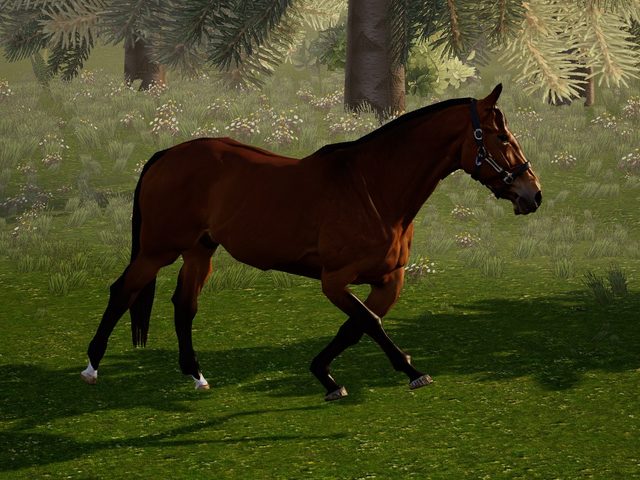
Equine rig: horse gallop animation example Equine rig: horse gallop animation example Open animal rig examples

FAQ

Can I auto rig a horse model online?

Yes. Upload a GLB, FBX or OBJ, a ZIP with textures or a picture. The engine picks the rig category (equine template), builds the skeleton and the skin in seconds and retargets animation clips at once.

What should I prepare before horse auto rigging?

Nothing special. The rig is fitted to the model as it is, in any pose. A clean silhouette, separated limbs and enough topology around the joints give the cleanest result, and the viewer offers to confirm the skeleton, which you can skip.

Can I use the result in Blender, Unity, and Unreal Engine?

Yes. Download GLB, FBX, USDZ, a ZIP, a Unity package or a Blender file from the viewer and use them in common 3D and game development pipelines.