


GLB (glTF binary) is a great format for sharing characters, but many Unity pipelines still prefer a rigged FBX for animation workflows. The goal is simple: take a GLB character, auto-rig it, and import the animated result into Unity with minimal setup. AutoRig builds the rig from the geometry of the model, so the character does not have to stand in a T-pose.
Step 1: Prepare your GLB (no T-pose needed)
The skeleton is fitted to the geometry in any pose. For a biped whose legs stand apart, the standing leg sets the bone lengths, and if the GLB already holds a skeleton or an animation, its own rest pose is used. What still helps:
- Centered model: character near the origin, not 100 meters away
- Apply transforms: avoid odd rotation or scale values
- Clean mesh: fix flipped normals and non-manifold geometry if possible
- Textures: keep them in the GLB. A model's own textures are never lost, and a model without textures gets PBR textures automatically
Step 2: Auto-rig the GLB online
On autorig.online drop the GLB file into the upload zone. The task opens in the 3D viewer at once. The fast rig builds the skeleton and skin in seconds, animation clips from the library of the model's category are retargeted onto it, and quality checks (joint placement, skin tears, limb collisions) keep running in the background. Confirming the skeleton in the viewer is optional: the animation does not wait for it.
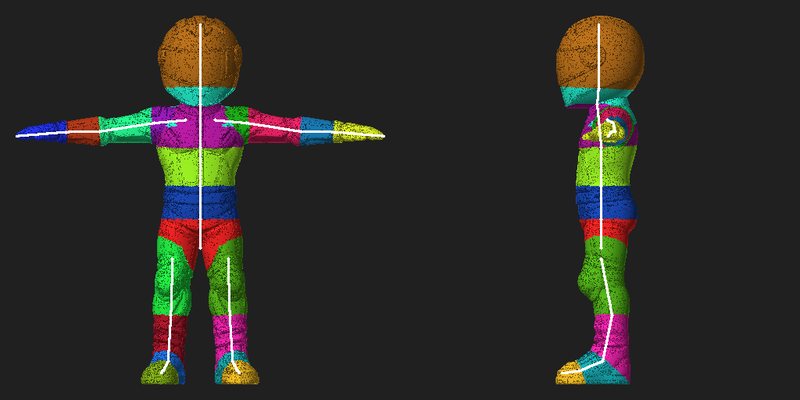
Step 3: Download the Unity export
Once the task completes, download the Unity export (usually FBX) plus any additional formats you need: GLB, USDZ, a ZIP or a Unity package.
Step 4: Import into Unity
In Unity, import the resulting FBX. Then:
- Select the FBX in the Project panel.
- Open the Rig tab in the Inspector.
- Set Animation Type to Humanoid (for humanoid characters).
- Click Apply.
- Open Configure and check the avatar mapping (Unity will show you if bones are missing).
Step 5: Test animations
If your download includes the animation clips retargeted onto your rig, import them, or retarget other animation packs to your character's avatar. In Unity, Humanoid retargeting is usually the easiest way to reuse animations across characters. Animals, birds and other non-humanoid models are better set to Generic.
Common Unity import problems
Character is rotated or lying down
This is usually a coordinate system mismatch. Check the FBX import settings, or rotate the root in your prefab. Keeping a consistent forward axis in exports reduces this.
Animations look broken
Most often caused by incomplete bone mapping in the Avatar (Configure) or extreme proportions. Open the task in the viewer, check the skeleton (blueprint mode, key B), fix the bones and re-rig, then export again.
Textures missing
GLB textures can import differently than FBX materials. If you need perfect materials, you may have to reassign textures in Unity or export a Unity-ready package if your pipeline supports it.
Best practice: keep the "rigged Unity FBX" as your source of truth
Once you have a clean rigged FBX that Unity likes, use it as the baseline for animations and prefab setup. GLB is still great for distribution, but Unity workflows often behave best with FBX.
Next step: read the pose guide, compare GLB and FBX or try rigging your GLB now.