


Retargeting applies an animation made for one skeleton to another. Normally that means buying an animation pack, fixing proportions and re-checking every clip in your engine. AutoRig does it for you: clips are retargeted onto every new rig at once, and each clip is checked by numbers.
A clip library for every category
Each rig category has its own library of clips. For animals that means, for example, walk, trot, canter, gallop, idle, rear, look around and attack. The reference videos for a category are generated and quality-checked once, and the motion is extracted from them once. After that the clips are reusable: every new model of the category gets them by automatic retargeting onto its own skeleton. Nobody animates a single model by hand.
Procedural clips are only the fallback, used when the library has no clip for the category.
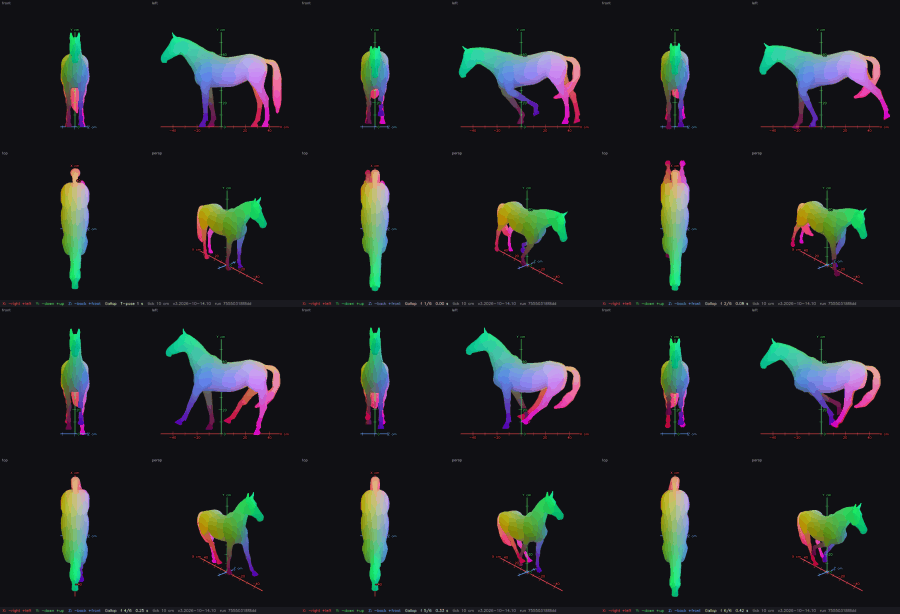
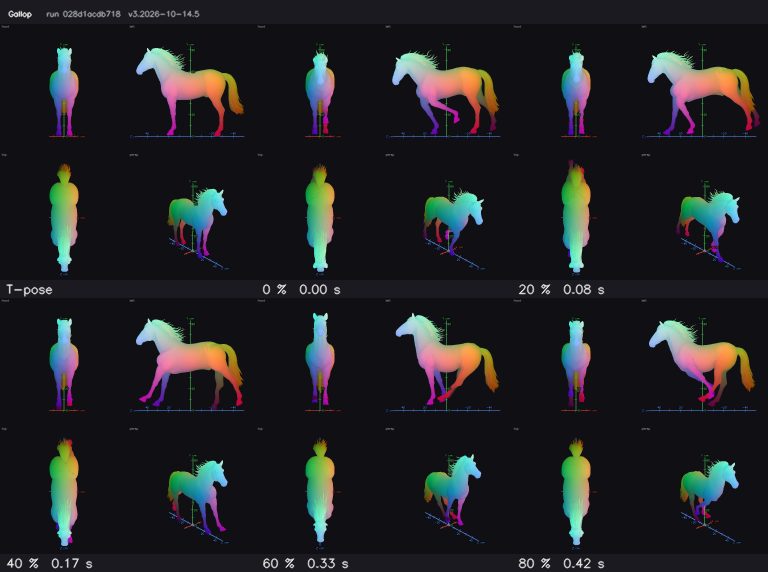
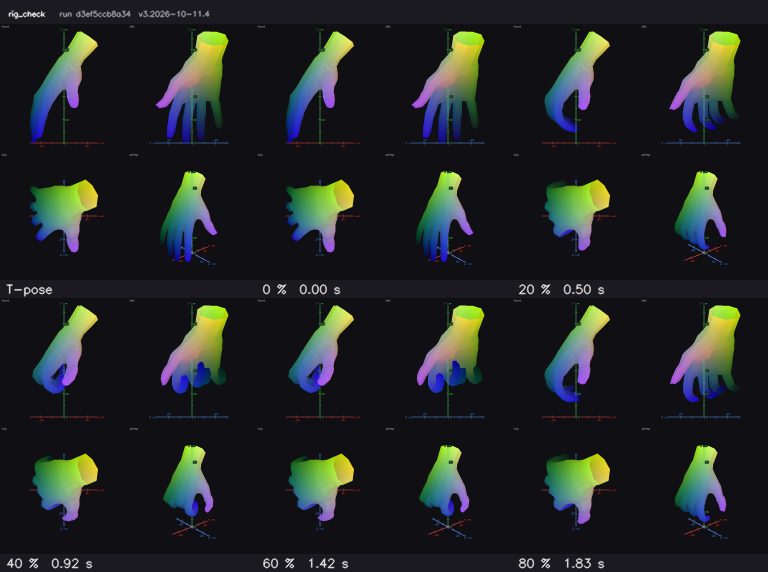
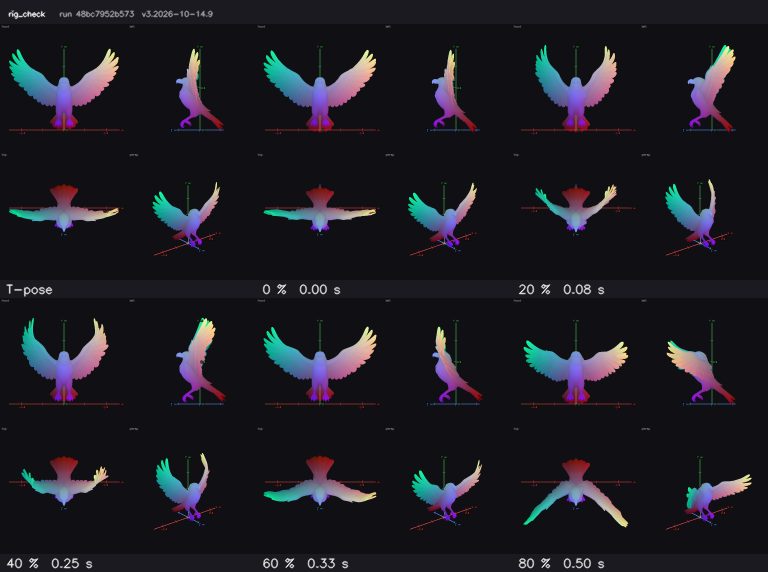
Equine models (horses, deer, zebras) get planted-hoof gaits: walk, trot and gallop with the hooves staying on the ground. Birds get wing clips, and hands get hand clips with per-finger joints.
Automatic retarget with numeric QA
- Fit. The rig is fitted to your model first: its own proportions and its own joint placement.
- Retarget. The motion of the library clip is transferred onto that skeleton.
- Check. Every clip passes a numeric deformation check. Joint placement, skin tears and limb collisions are measured in the background of the viewer.
- Show. The clips play in the viewer straight after the rig, and the target is a rigged, animated model within one minute from pickup.
Why retargeting often looks bad, and what AutoRig does about it
- Different proportions. The rig is fitted to your model before any clip is applied, so a long-armed or short-legged model gets its own bone lengths.
- Different base poses. You do not need a T-pose. The rig follows the model as it is. When the legs do not stand side by side, the standing leg is the reference for both.
- Twisted joints and bad weights. Joint placement and skin tears around shoulders and hips are measured, not judged by eye.
- Sliding feet. Equine gaits keep the hooves planted.
Custom clips in the viewer
The viewer has a clip set for every task. Add your own clips to it next to the library clips and play them on the same rig. Edit the bones in blueprint mode (B) if a joint needs help: the viewer re-rigs 15 seconds after your last edit, or at once with the button. The skeleton confirmation is offered and never required, so the animation does not wait for it.
Exports
Download the rig and the clips as GLB, FBX, USDZ, a ZIP, a Unity package or for Blender. The guides cover GLB in Unity, FBX in Unreal and GLB vs FBX, and the Blender plugin brings the same workflow into Blender.
Using the clips and your own animation packs in an engine
If you want to retarget your own animation packs inside the engine, the exported rig works as a normal skeleton.
- Unity (humanoid models). Import the rigged FBX, set Rig, Animation Type to Humanoid, check the avatar mapping, import the clips as Humanoid and apply them in your Animator Controller.
- Unreal. Retargeting uses skeletons and IK rigs depending on the engine version. The idea is the same: define a mapping once, then reuse animations across compatible rigs.
FAQ
Do I need a T-pose?
No. The rig is fitted to the model in any pose, and the clips are retargeted onto that rig.
Can I use animation packs I already have?
Yes. Export the rig and retarget your packs in your engine, or add them as custom clips in the viewer.
Which categories have clips?
Each of the nine categories has its own clip library: biped, quadruped, equine, bird, serpent, monster, multilimb, hands and vehicle. Where a category has no library clip yet, procedural clips are the fallback.
How long does it take?
The fast rig takes seconds and the clips are retargeted at once. The target is a rigged, animated model within one minute from pickup.