


If you have ever rigged a model by hand and got odd shoulders, broken elbows or twisted wrists, the starting pose was often the reason. The two most common bind poses are T-pose and A-pose. Both are valid, and they behave differently for skeleton fitting and skinning. In AutoRig neither of them is required.
What is a T-pose?
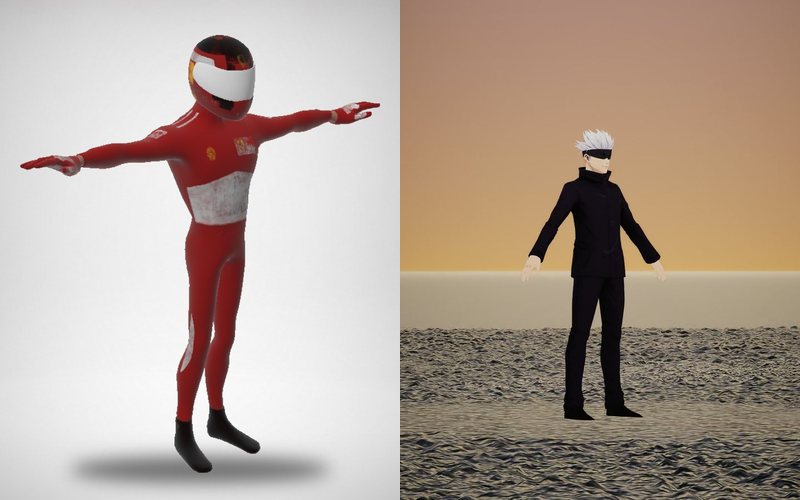
A T-pose is the classic: arms straight out horizontally, forming a "T" shape. Arms are fully extended and symmetrical, so limb lengths and joint directions are easy to read, by people and by algorithms.
What is an A-pose?
An A-pose keeps the arms angled down, usually 30-45 degrees. Many manual rigs prefer it because it is closer to a working pose and can give nicer shoulder deformation for certain characters.
What each pose means for a rig
- T-pose: shoulders, elbows and wrists are easy to place, both arms match cleanly left to right, but the shoulders sit at their extreme, so skinning around them needs care when the arms come down
- A-pose: the shoulders start closer to where animation keeps them, which helps heavy clothing or armor around the shoulders, while the arm direction is a little less obvious to a fitting algorithm
- Neither is wrong: what matters is that the rig fits the pose the mesh actually has
You do not need to convert your model
AutoRig builds the rig from the geometry of the model in any pose: T-pose, A-pose, a relaxed stance or an action pose. If the file already holds a skeleton or an animation, its own bind pose is used first. For a biped whose legs stand apart, the standing leg sets the bone lengths, and the other leg is placed at the same lengths along its own centreline, so both legs get the same bones in any pose.
The skeleton is offered for confirmation in the viewer, in blueprint mode (key B), where you can edit bones with symmetry; the rig is rebuilt 15 s after the last edit or by the button. The animation does not wait for the confirmation.
When the pose still matters
- a clean pose helps any rig: straight elbows, neutral hands, the model centered and scaled correctly
- for a strongly posed model (sitting, crouching, arms crossed) the result depends on the geometry, so open the task in the viewer and check the skeleton
- if the mesh and a source skeleton disagree, the file's own bind pose is the one to trust
If you want predictable exports, keep the geometry clean. You do not have to repose the character first: drop the model in the pose it has and look at the result.
Next step: read the pose guide, see how the rig reaches an engine in GLB for Unity and FBX for Unreal, or check animation retargeting.