
T-pose rig: any pose works
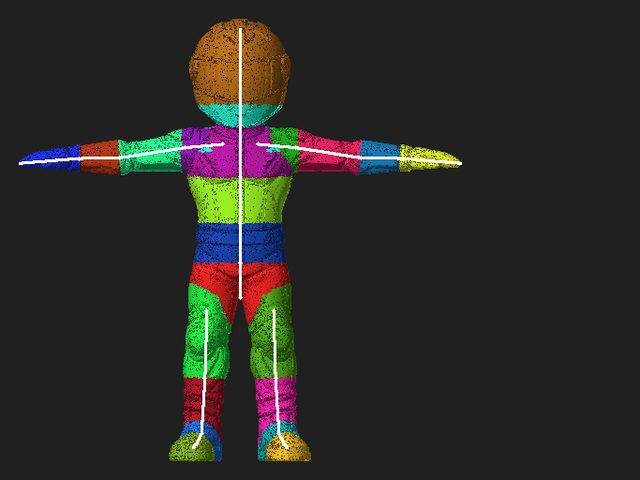
You do not have to put a model into a T-pose before you upload it. AutoRig rigs the pose you give it, in seconds, and offers the skeleton for confirmation in the viewer.
 Any pose accepted
 Bind pose from the file first
 Skeleton confirmation never blocks
Do you need a T-pose to rig a character?
No. A T-pose is a fine input, but AutoRig does not require it. A model in an A-pose, a relaxed stance, a step or with a raised leg is accepted as it is.
The fast rig builds the skeleton and the skin from the geometry in seconds, and the animation clips are retargeted at once. The target is a rigged, animated model within one minute from pickup.
What AutoRig does with each pose
-
T-pose or A-pose
The skeleton is fitted straight to the geometry.
-
Any other standing pose
A relaxed stance or arms down: the skeleton is traced from the posed geometry, with no pose-correcting step first.
-
A skeleton or an animation inside the file
The pose is a baked frame, so the file's own rest pose (its bind pose) is used instead of a fit to the posed mesh.
-
Feet that do not stand side by side
A step or a raised leg: the leg on the floor is the reference for the other leg.
-
Not a biped at all
A horse, a bird, a hand or a car has no T-pose to match. Each category has its own skeleton template.
How a posed model is rigged
-
The file is checked first
AutoRig looks for a source skeleton or an animation. If it finds one, the pose is a baked frame and the file's bind pose is used, not a fit of the posed mesh.
-
The fast rig is built
With no skeleton in the file, the skeleton and the skin are built from the geometry in seconds, and the animation clips are retargeted at once.
-
Uneven legs use a reference leg
When the feet are not side by side, the standing leg sets the bone lengths and the joint order for the other leg.
-
The skeleton is offered, not demanded
The viewer offers the skeleton for confirmation in blueprint mode. The animation is made without waiting for it, and the quality checks run in the background.
The standing leg is the reference
When a biped's feet do not stand side by side, the leg whose foot is on the floor sets the topology and the lengths: hip to knee, knee to ankle, ankle to toe.
The other leg is traced along its own points, but its joints are placed at the reference lengths. Both legs get the same bone lengths and the same joint order, whatever the pose. The rig never shortens or stretches one leg to fit a pose.
Symmetry follows the voxels. The mirror overlap of the model's solid decides whether the blueprint opens with symmetry on; an asymmetric model keeps its own bones in both legs.
- Reference leg: its foot is on the floor
- Traced leg: its own path, joints at the reference lengths
- L1 hip to knee · L2 knee to ankle · L3 ankle to toe
- Schematic, not to scale.
Check and edit the skeleton in blueprint mode
Press B in the viewer to open blueprint mode and move bones with symmetry. The model is re-rigged 15 seconds after your last edit, or at once with the button. You can also leave the skeleton as it is: the confirmation is offered, never required.
Rigged results from V3
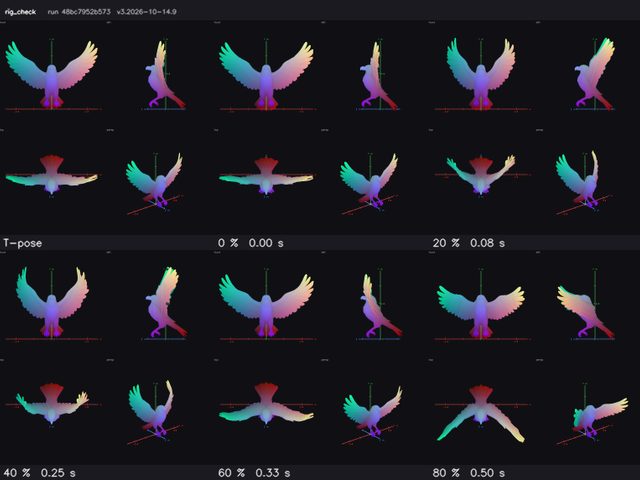
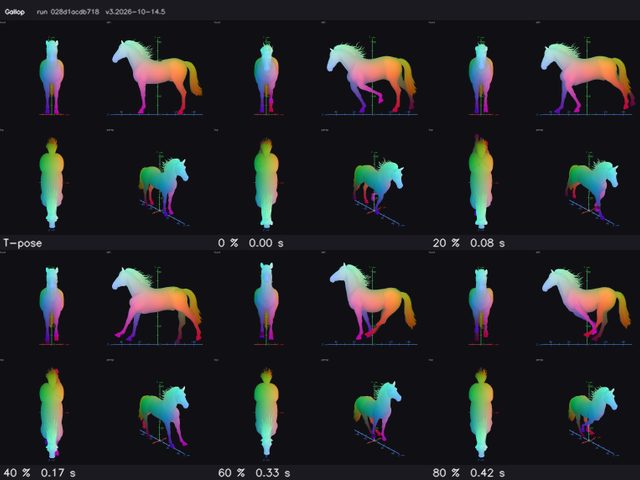
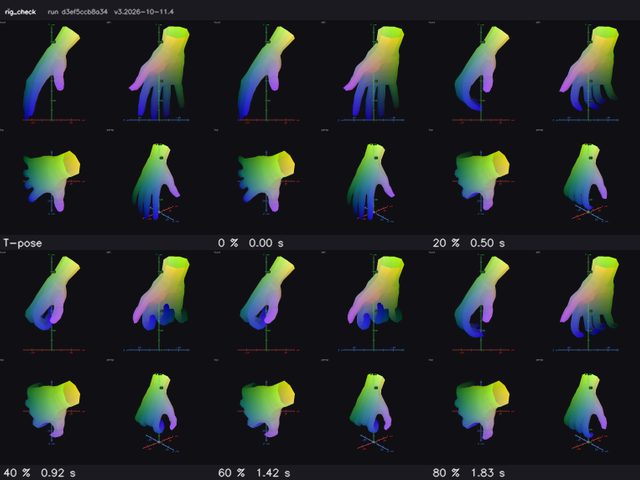
Not everything has a T-pose
Quadrupeds, horses, birds, hands and cars are rigged with templates of their own. Read the animal rigging page or the guides index to pick your category.
Questions about poses
Do I need a T-pose to auto rig a character?
No. Any pose is accepted. A T-pose or an A-pose is a fine input, but not a requirement.
What if my file already has a skeleton or an animation?
AutoRig checks for that first. When a source skeleton or an animation is there, the pose in the file is a baked frame, and the file's own bind pose is used instead of a fit to the posed mesh.
My character takes a step or stands on one leg. Will the legs match?
Yes. The leg on the floor is the reference. The other leg is traced along its own points, with its joints at the same bone lengths and in the same order.
Do I have to confirm the skeleton before I get the animation?
No. The viewer offers the skeleton for confirmation in blueprint mode, but the animation is made without waiting for it.
How long does a rig take?
The fast rig builds in seconds. The target is a rigged, animated model within one minute from pickup, while the quality checks continue in the background of the viewer.
Is a T-pose or an A-pose better?
Neither is required. The T-pose vs A-pose guide explains what each pose changes.
Rig a model in any pose
Drop a 3D model, a picture, a picture of a car, or anything on the home page. The rig and the animation appear in the viewer.
Start rigging