Full auto rig and animation
Generate a rigging result and move directly into animation preview and export decisions.

 Native Blender Add-on
The AutoRig.online Blender plugin is the Blender-side client of the AutoRig conveyor. It brings the automatic rigging workflow into your Blender scene: generate rigs, use presets, work with humanoid and non-humanoid models, and prepare animation-ready characters without switching tools.
The Gumroad screenshot is cached locally on AutoRig.online and shows the add-on inside Blender with animal models, generated control shapes, preset options and rig parameters.
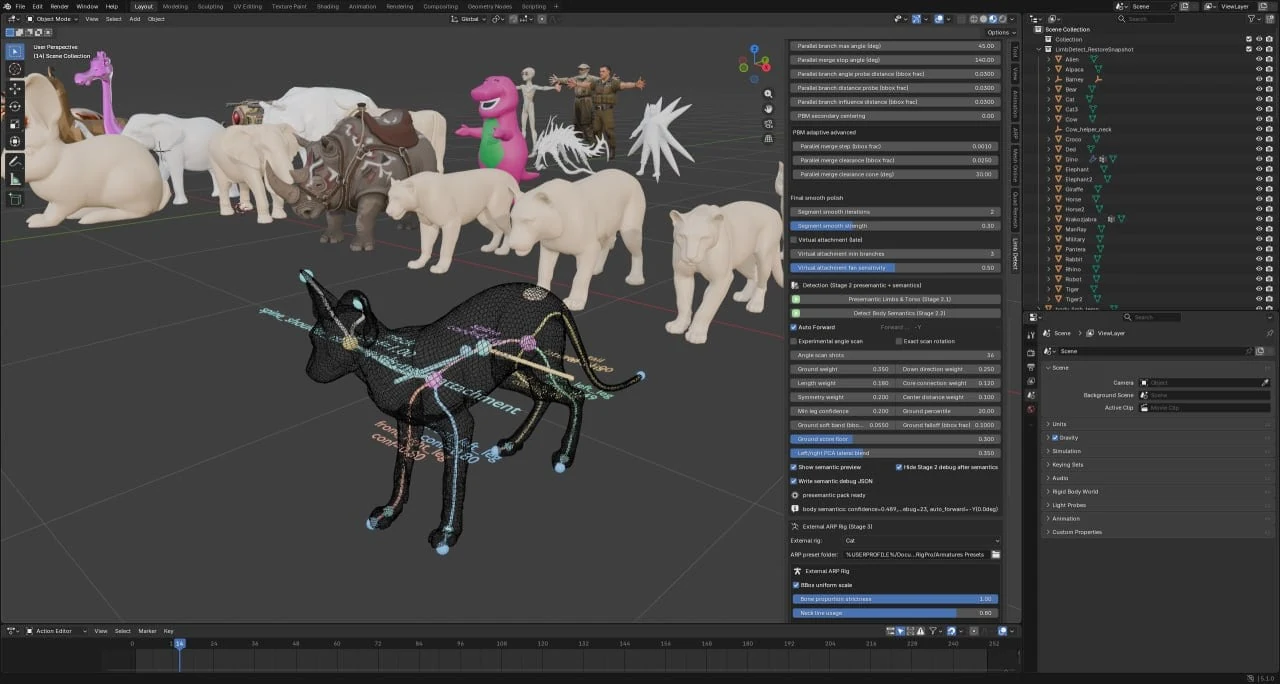
Automatic rigging, broad model support, hard-surface cases, Blender, Unity and Unreal use, and presets for both humanoid and non-humanoid characters.
Generate a rigging result and move directly into animation preview and export decisions.
Use the same AutoRig direction for animals, stylized creatures, humanoids and non-humanoid shapes.
Mechanical and hard-surface models are covered too, not only organic characters.
Prepare rigs in Blender and use the result in common game and animation pipelines.
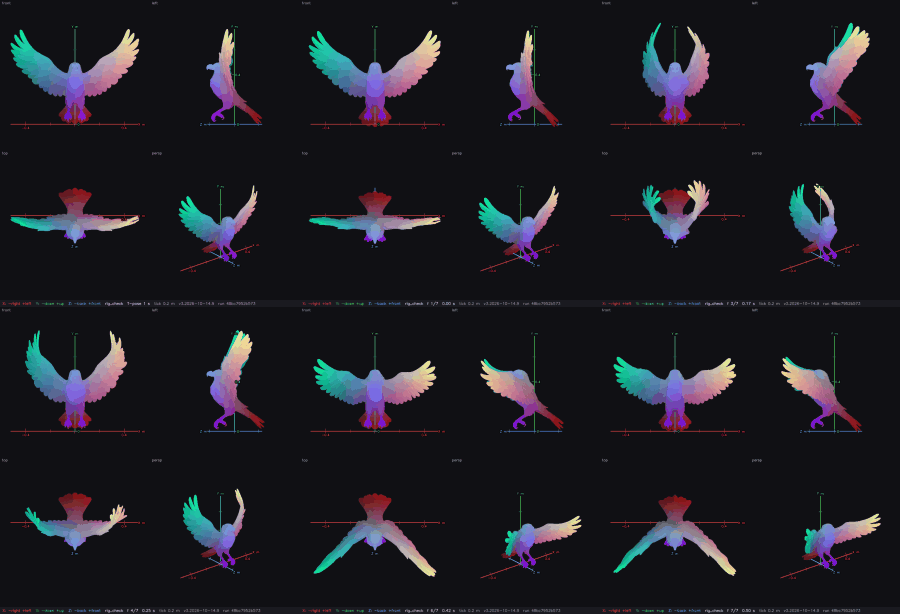
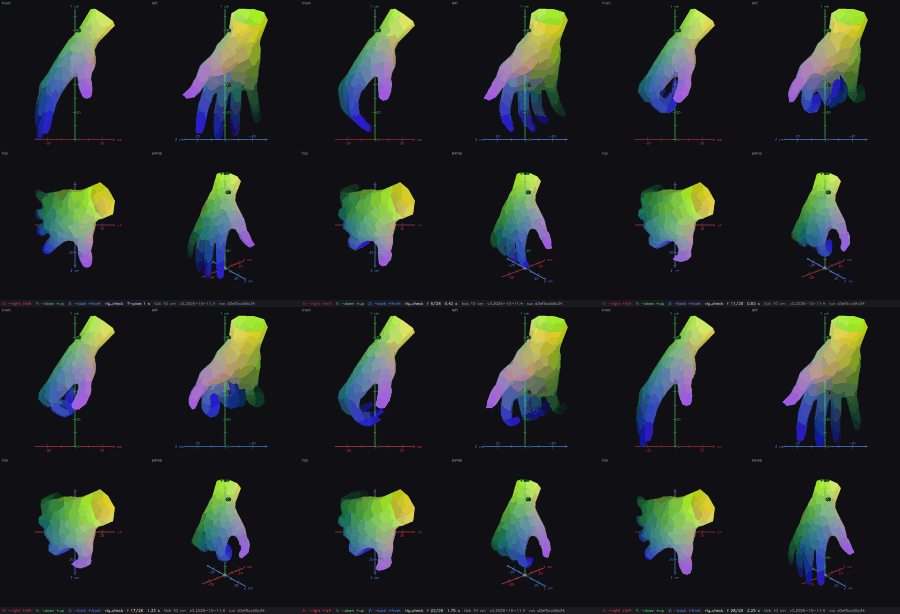
AutoRig builds the skeleton and skin from the geometry in seconds, retargets animation clips at once and keeps checking quality in the background. Every category has its own skeleton template, skin rules and clip library: humanoids, quadrupeds, horses and deer, birds with wings, hands, monsters, serpents, multi-limb creatures and vehicles.
On the website every task opens in a 3D viewer with an AI agent, and you can download GLB, FBX, USDZ, ZIP, a Unity package or a Blender file.
Real checks from AutoRig runs: skin weights per bone and clip frames from front, side and top views.
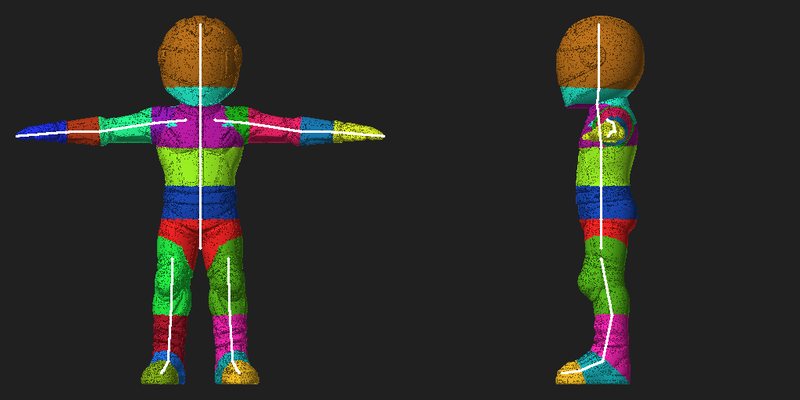
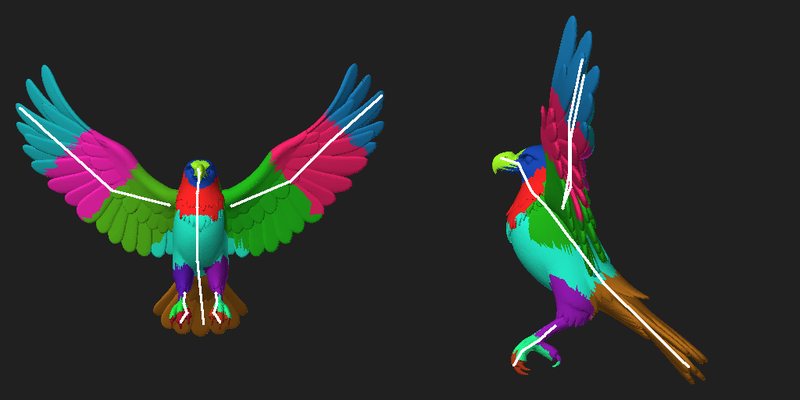
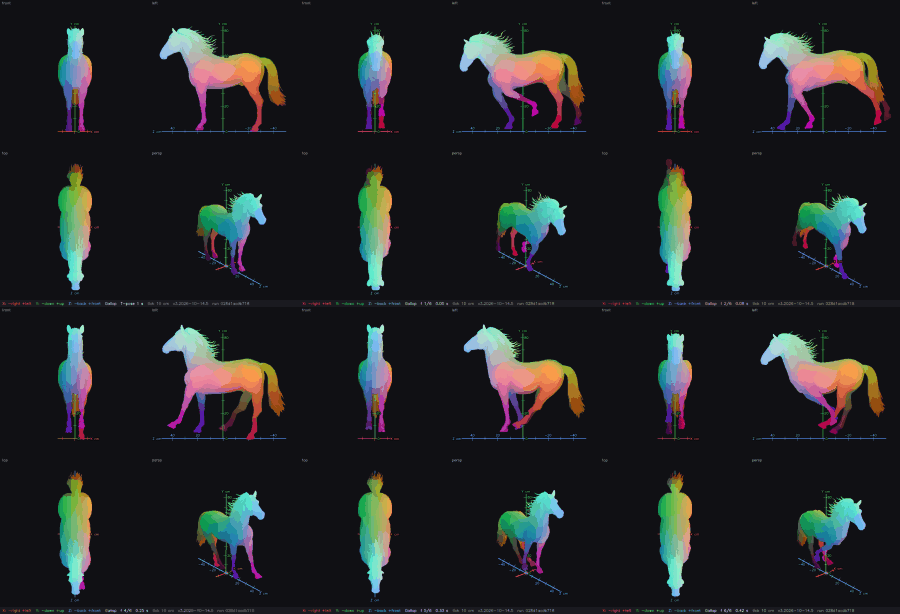
The plugin is for artists who want the AutoRig workflow inside Blender while keeping the online service available for browser uploads.
Work from Blender with the AutoRig panel visible next to your model and scene.
Use the presets for humanoids, animals, creatures or other model types.
Run automatic rig generation: the model goes through the AutoRig conveyor and the result stays in your Blender project context.
Adjust branch, smoothing and rig parameters instead of accepting a black-box result.
Move into animation preview, Blender cleanup, Unity, Unreal or your own production pipeline.
Use AutoRig.online in the browser, or buy the Blender add-on when you want the rigging workflow inside Blender.
It is a native Blender add-on with its own panel. It brings the AutoRig automatic rigging workflow into your Blender scene, with presets for humanoid and non-humanoid models.
The plugin has 13 unique presets for humanoid and non-humanoid models, including animals and creatures.
You buy the plugin on Gumroad through the checkout button on this page. The checkout asks you to sign in, and your assigned test price is shown on the page and at checkout.
Yes. The website takes a 3D model, a picture or a picture of a car, opens every task in a 3D viewer with an AI agent, and offers downloads for GLB, FBX, USDZ, ZIP, a Unity package and Blender.