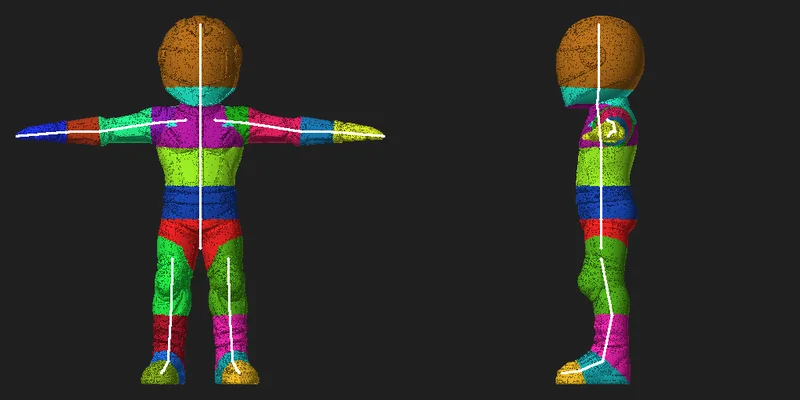
OBJ is a simple geometry format. It is common in asset libraries, but it usually arrives without a skeleton, without animation and with its materials split into a separate .mtl file and image files. AutoRig takes it into the same V3 conveyor as GLB and FBX: the skeleton and skin are built in seconds, the animation clips are retargeted at once and the result opens in the viewer.
What an OBJ usually lacks
- No skeleton
- No skin weights
- No animations
- Materials live in a separate .mtl file and image files that have to travel with the OBJ
What AutoRig does with an OBJ
- Picks the rig category from the shape: biped, quadruped, equine, bird, serpent, monster, multilimb, hands, primate or vehicle
- Builds the skeleton and skin for that category and retargets its animation clips
- Keeps your textures; a model without textures gets PBR textures automatically
- Runs the quality checks in the background of the viewer
- Offers the skeleton confirmation in the viewer; the animation is made without waiting for it
Best practices before auto-rigging
- Upload a ZIP with the OBJ, the .mtl and the images, so the textures stay with the model
- Any pose works: a T-pose is not required
- Fix obvious topology issues (non-manifold edges, flipped normals)
- Remove extra scene objects if possible
- Keep a reasonable scale (human-sized for a character)
Auto-rig workflow
- Upload the OBJ (or a ZIP with the MTL and textures), or paste a direct download link
- The task opens in the viewer, and the rig and the clips appear within about a minute
- Edit the bones in Blueprint mode if you want to, then download GLB, FBX, USDZ, a ZIP, a Unity package or a Blender file
Common OBJ problems
Missing .mtl or images
If an OBJ arrives without its .mtl or its images, AutoRig detects it at intake and asks you for the files (or a ZIP). Without them the model would lose its look.
Separate parts / multiple meshes
Some OBJs are made of many pieces. Auto-rigging can still work, but if parts are floating or not aligned, results may degrade. If you can merge meshes in a DCC tool, it often helps.
Asymmetric models and poses
Left and right do not have to match. If the model is not symmetric, the rig keeps its own bones on both sides. When one leg of a biped is planted, it sets the reference bone lengths for the other leg.
No textures
That is normal for an OBJ. A model without textures, or with only a flat default material, gets PBR textures automatically (albedo, roughness, metallic, normal and emissive). The original stays.